Changelog
Reckon Plugin Live in ChatGPT
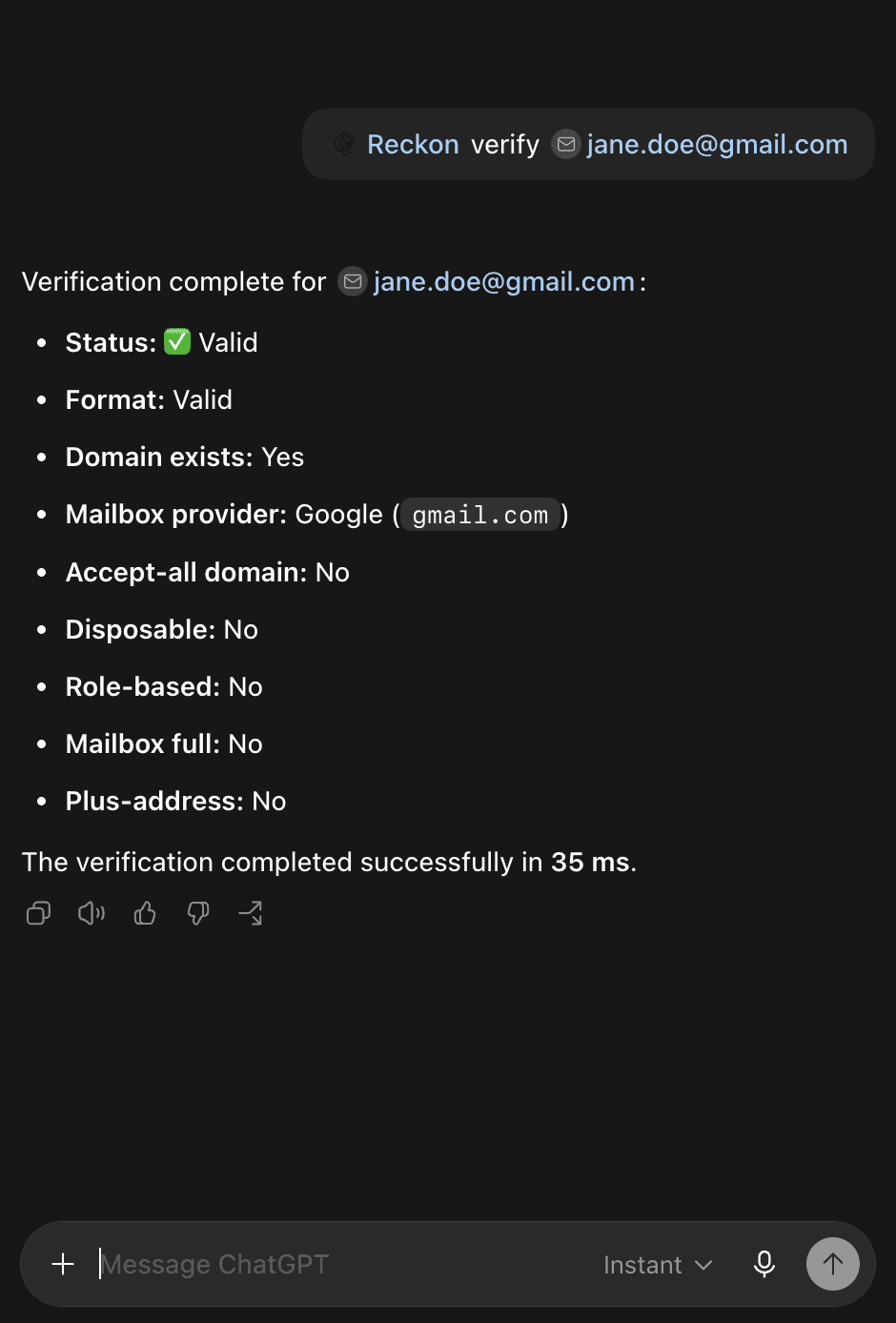
Reckon's email verification is now installable as a ChatGPT plugin. Install it, then type @Reckon verify [email] in any chat — it runs the address through the same engine as the API, returning all of the valuable information API users get access to.
Find it in ChatGPT's plugin directory, listed under Business & Operations.
Support for existing CSV columns
Up until now, downloading a verified list from Reckon only gave you verification results alone. If your file upload had other columns with data, you were forced to manually rejoin results with your original columns.
That's now fixed. When you upload a CSV with multiple columns, Reckon now preserves your original spreadsheet structure and appends verification results as new columns. Upload contacts.csv with 6 columns, and you'll download contacts_verified.csv with those same 6 columns plus status, deliverability result, and all metadata fields.
You're in control. An "Include original columns" toggle appears after you confirm your email column. It's on by default, but you can switch it off to get the compact results-only format if that's what you need.
How duplicates work. If your spreadsheet has multiple rows with the same email address, each row receives the same verification result with just one credit consumed.
Privacy preserved. Your original spreadsheet data never leaves the browser—it's held in memory while verification is taking place and is never uploaded to Reckon servers.
Smarter Verification for Emails Using Security Gateways
Reckon now intelligently handles email verification for domains protected by security gateways like Proofpoint, Mimecast, and Barracuda. Previously, these gateways could reject verification requests at their own layer without consulting the actual mail server, causing valid email addresses to be incorrectly marked as invalid.
New metadata. Results now include a security_gateway boolean in status metadata. When an email address is found to be using a security gateway, this flag is true—giving you visibility into a recipient that is likely using heightened spam filtering, and giving you a heads-up to use caution when making sending decisions to this recipient. This field flows through the API, the results dashboard, and aggregated reporting automatically.
What this means for you. If you verify enterprise email lists, you should see fewer false negatives. Addresses behind security gateways will either be confirmed valid (when the gateway cooperates with our requests) or clearly labeled as inconclusive with actionable context (reminder, inconclusive results do not consume credits). This is especially impactful for B2B use cases where enterprise domains are a significant share of verification volume.
Supported gateways: Proofpoint, Mimecast, Barracuda, Symantec, Forcepoint, Sophos, FireEye, SpamHero, and Rackspace Email. We'll continue expanding this list as we identify additional gateway patterns.
No API changes required — the new security_gateway field is additive and backward-compatible.
Reckon Now Works Inside Your AI Assistant
Your AI assistant can write code, summarize documents, and draft emails and, as of today—it can verify email addresses.
We're launching the Reckon MCP Server: a hosted endpoint that brings real-time email verification directly into Claude, ChatGPT, Cursor, Gemini, Windsurf, and any other client that supports the Model Context Protocol. No packages to install, no local processes to manage. Add our endpoint, sign in with your Reckon account, and start verifying.
What it does
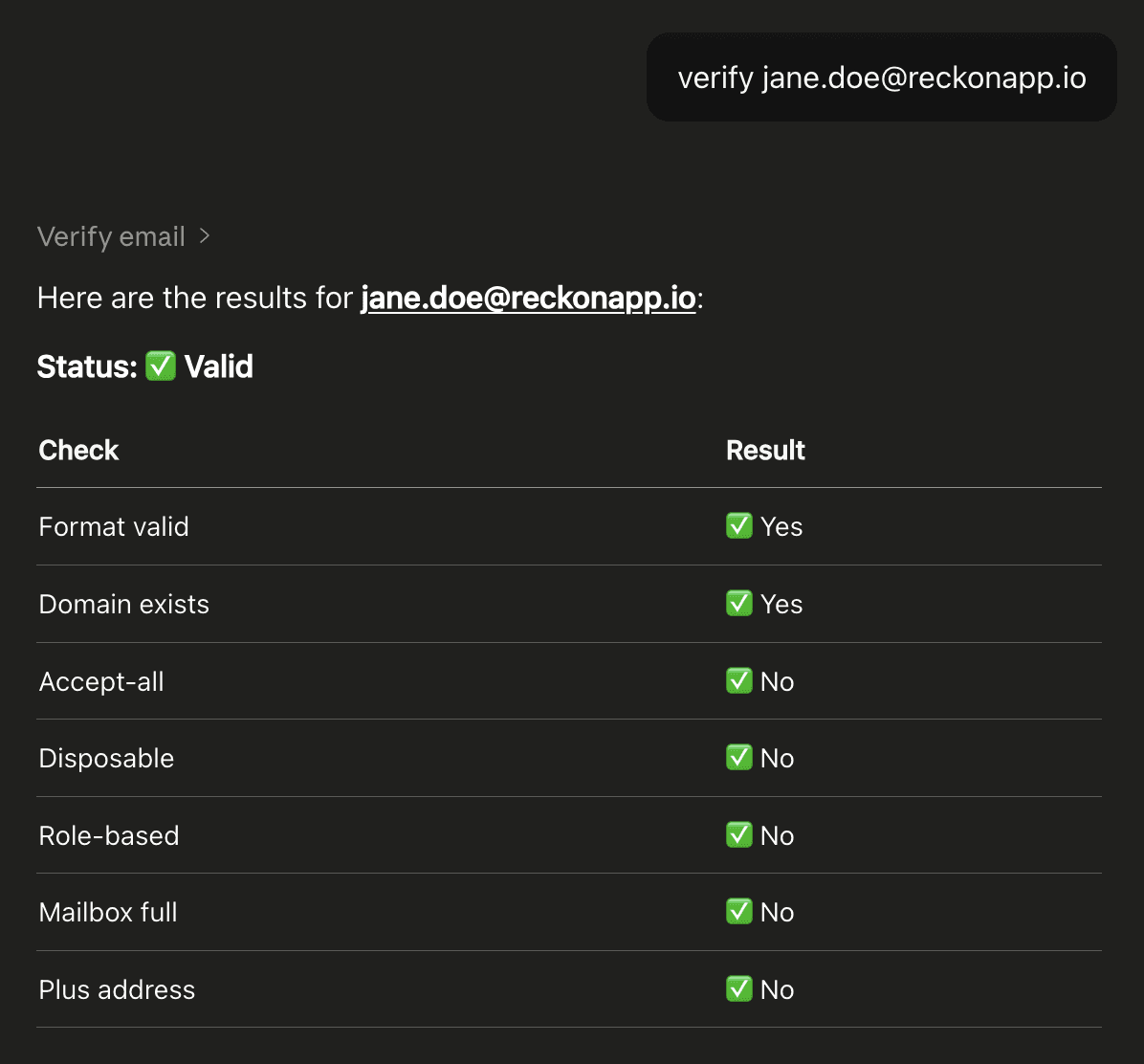
Ask your assistant to verify an email address and it calls Reckon behind the scenes, returning deliverability status, format validity, domain checks, and risk flags for disposable addresses, role-based accounts, catch-all domains, and more. It's the same verification engine that powers Reckon's API and dashboard, now accessible through natural language. A second tool lets you check your remaining credit balance without leaving the chat.
What is MCP?
MCP (Model Context Protocol) is an open standard — backed by Anthropic, OpenAI, and Google — that gives AI models structured access to external tools. Email verification is a natural fit: it's a quick, well-defined action that slots into workflows people already run inside AI assistants, from qualifying leads to validating inputs during development.
Most MCP integrations in this space require installing a package and running a local server. Reckon's is hosted at mcp.reckonapp.io/mcp with OAuth built in. In supported clients, you add the URL, sign in, and you're done.
Getting started
Setup takes under a minute. Check out the MCP docs to get started. Every Reckon account comes with free sandbox email addresses for testing and 25 trial credits for real verifications. No credit card required.
For developers, our server publishes a machine-readable server card at the standard .well-known path, making it discoverable by registries and tooling automatically.